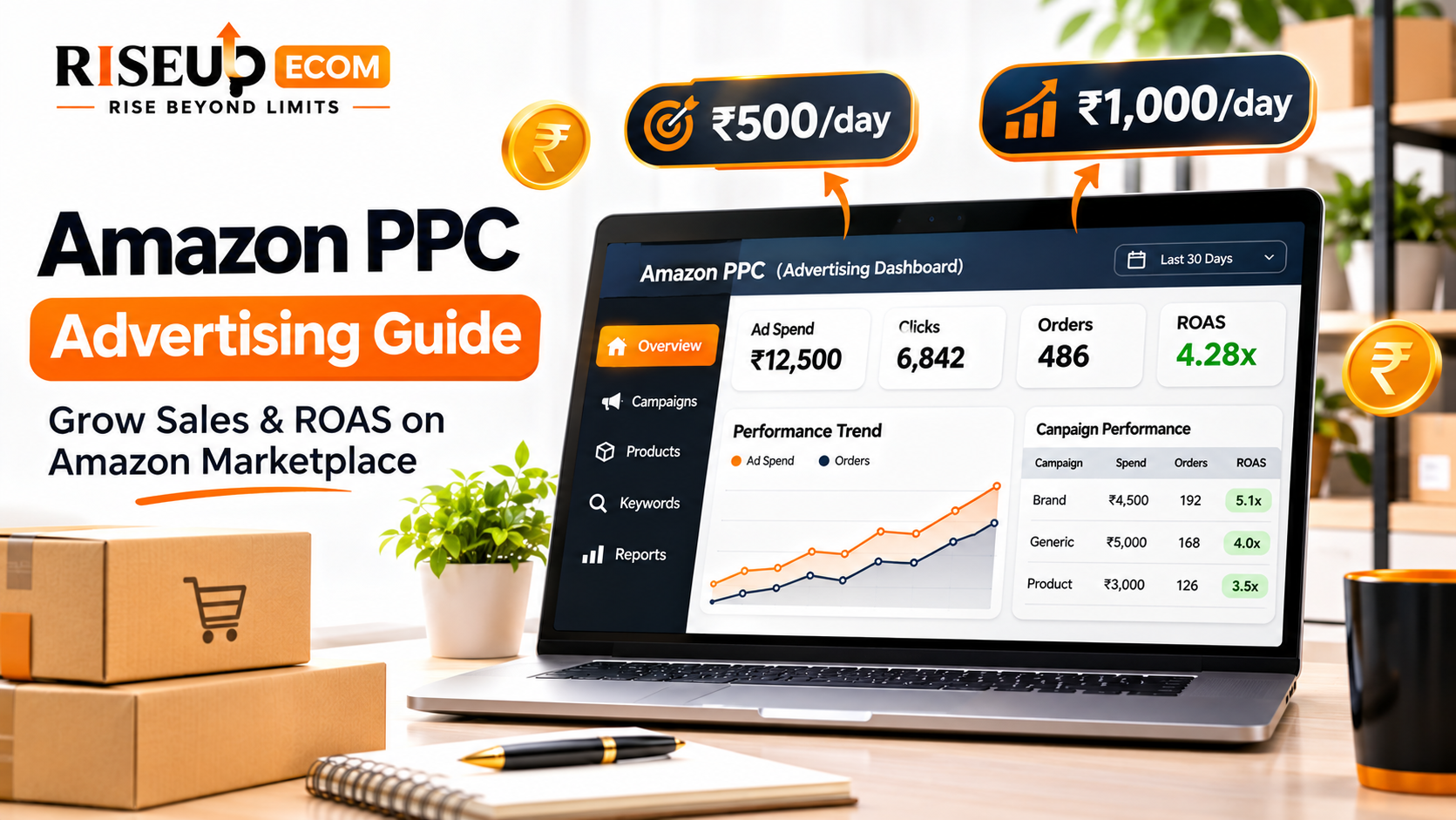
How to Calculate Your Amazon Ads Daily Budget
Your Amazon PPC budget should be based on your sales objectives and the amount you can afford to spend on customer acquisition.
You can use the following factors to calculate a starting budget.
1. Calculate Your Profit Margin Before Advertising
Suppose you sell a product on Amazon for ₹999.
Your estimated costs are:
ExpenseAmountSelling price₹999Product cost₹350Amazon fees and fulfilment₹250Packaging and other expenses₹49Profit before advertising₹350
Your product generates ₹350 before advertising expenses.
If you spend ₹250 on ads to generate one sale, your remaining profit is ₹100 before other applicable expenses, taxes, or additional costs.
If you spend ₹400 to generate the same sale, you are already losing ₹50 against the estimated profit available before advertising.
This is why you should understand your product economics before setting your PPC budget.
2. Estimate Your Cost Per Click (CPC)
CPC means Cost Per Click. It is the amount you pay when a shopper clicks on your advertisement.
For example, if your average CPC is ₹10, your advertising budget can generate approximately the following clicks:
Daily BudgetEstimated CPCApprox. Clicks₹300₹1030₹500₹1050₹1,000₹10100₹1,500₹10150
These are mathematical estimates, not guaranteed clicks. Actual CPC can vary depending on your product category, competition, keyword, bidding strategy, and ad placement.
If your category is highly competitive, you may pay considerably more per click. In a less competitive category, the same budget may generate more traffic.
Use the suggested bid ranges available inside Amazon Ads as a reference, and adjust bids according to your performance data.
3. Understand How Many Clicks You Need
Your advertising budget should also consider how many clicks you need to evaluate whether your listing is converting.
For example, assume your product has an estimated conversion rate of 5%.
That means approximately 5 out of every 100 clicks may result in an order.
Estimated ClicksEstimated Orders at 5% Conversion201502–3100520010
This is an illustration, not a prediction of actual performance. Your conversion rate may be higher or lower depending on your category, price, listing quality, reviews, traffic relevance, and competition.
If you receive only a handful of clicks, it may be too early to make a confident decision about a keyword or campaign.
Amazon Ads Budget Examples for Different Types of Sellers
The right advertising budget differs depending on your business stage.
Scenario 1: Seller with a Limited Budget
If you are a beginner with limited funds, start by advertising one product instead of promoting your entire catalogue.
Suggested starting budget: ₹300–₹500 per day
Focus on:
- One product with reasonable profit margins
- Automatic targeting for search-term discovery
- A limited set of relevant manual keywords
- Low-risk bids that you can afford
- Regular monitoring of clicks and spending
At ₹500 per day, your monthly budget would be approximately ₹15,000 if you advertised every day for 30 days.
Do not commit this amount without checking whether you can comfortably afford the testing period.
Scenario 2: Seller Launching a New Product
If you are launching a new product with sufficient stock and a competitive listing, you may need a higher budget to test multiple search terms and targeting strategies.
Suggested starting budget: ₹500–₹1,000 per day
You can divide your advertising investment between:
- Automatic targeting to discover relevant customer searches
- Manual keyword targeting for specific buyer-intent searches
- Product targeting to reach shoppers browsing similar products
Rather than increasing all campaign budgets simultaneously, monitor the results and shift spending towards campaigns that generate relevant traffic.
Scenario 3: Seller with Multiple Products
If you have multiple products, avoid distributing your advertising budget equally across every SKU.
Suggested starting budget: ₹1,000–₹2,500 per day, depending on catalogue size and competition.
Prioritize products that have:
- Stronger conversion potential
- Competitive selling prices
- Healthy contribution margins
- Adequate inventory
- Better listing quality
- Clear buyer demand
A product with higher sales potential may deserve more advertising budget than a product that has not yet demonstrated demand.
Which Amazon Advertising Campaigns Should Beginners Start With?
New sellers should avoid creating too many campaigns before understanding how their products perform.
Start with Sponsored Products, which allows sellers to advertise individual products in relevant shopping placements.
Automatic targeting allows Amazon to match your advertised products with relevant shopping searches and product placements based on its targeting system.
It is useful for:
- Discovering new search terms
- Identifying relevant customer queries
- Testing product discoverability
- Understanding how Amazon matches your products to shoppers
For a new seller, automatic targeting can be a useful discovery campaign.
Start with a controlled budget and review the search term data regularly.
Manual keyword targeting allows you to select keywords for your campaign.
You can use it to target specific searches related to your product, such as:
- Product type
- Product features
- Material
- Size
- Usage
- Brand or category-related searches
When you identify relevant search terms from automatic campaigns, you can test them in manual campaigns.
This gives you more control over bids, targeting, and campaign spending.
Product targeting allows you to target individual product listings, categories, and other available product-based placements.
It can be useful when:
- Your product is competitively priced
- You want to reach shoppers comparing similar products
- Your listing has better images or features than competing products
- You want to test placements on relevant competitor product pages
However, product targeting should be monitored carefully. Not every competitor's listing will generate profitable traffic.
Start with a few relevant targets instead of targeting hundreds of products without a clear strategy.
How to Divide a ₹500 Daily Amazon Ads Budget
If you have ₹500 per day available for advertising, keep your campaign structure simple.
One possible allocation could be:
Campaign TypeDaily AllocationPurposeAutomatic targeting₹250Search-term discoveryManual keyword targeting₹150Testing relevant keywordsProduct targeting₹100Testing similar product placementsTotal₹500
This is only an example allocation. It is not a universal campaign structure.
If your product is brand new and you have no keyword data, you may allocate more to automatic targeting initially.
If you already know which keywords generate sales, you may prioritize manual campaigns.
Do not create campaigns just to use the entire budget. Campaign structure should follow your product, goals, and available data.
How Much Should You Spend on Amazon Ads Monthly?
Your monthly advertising budget is simply your daily budget multiplied by the number of days you plan to advertise.
Daily Budget7 Days30 Days₹300₹2,100₹9,000₹500₹3,500₹15,000₹1,000₹7,000₹30,000₹1,500₹10,500₹45,000₹2,500₹17,500₹75,000
A seller spending ₹500 per day should be prepared for approximately ₹15,000 in advertising expenses over a 30-day period.
Remember that campaign daily budgets are not necessarily a strict cap on total calendar-month spending in every situation. Amazon's budget delivery rules may allow spending above a campaign's daily budget on some days, depending on applicable settings and policies. Review Amazon's current budget rules before calculating your maximum monthly cash outflow.
What Is a Good ACoS for New Amazon Sellers?
ACoS stands for Advertising Cost of Sales. It measures how much you spend on advertising compared with the sales generated directly from those ads.
The formula is:
ACoS = (Advertising Spend ÷ Advertising Sales) × 100
For example:
- Advertising spend: ₹1,000
- Ad-attributed sales: ₹5,000
- ACoS: 20%
This means you spent ₹20 on advertising for every ₹100 in ad-attributed sales.
However, a low ACoS does not automatically mean your advertising is profitable. You must compare your ACoS with the margin available after product cost, marketplace fees, shipping, taxes, and other expenses.
Calculate Your Break-Even ACoS
Suppose your product's contribution margin before advertising is 30%.
Your approximate break-even ACoS is 30%, assuming the margin includes all relevant costs and adjustments.
ACoSAdvertising Result15%Potentially profitable20%More margin remains30%Approximately break-even40%Likely loss-making
This example assumes a 30% contribution margin before advertising. Your actual break-even point depends on the accuracy of your cost calculations.
New sellers may temporarily accept a higher ACoS while launching a product, but this should be a deliberate strategy backed by a budget limit—not an excuse for uncontrolled spending.
When Should You Increase Your Amazon Ads Budget?
Do not increase your budget just because your campaign is spending money or receiving clicks.
Consider increasing it when:
- Your campaign generates consistent orders.
- Your ACoS is within your acceptable range.
- Your product listing converts visitors effectively.
- Your relevant campaigns frequently run out of budget.
- Your inventory is sufficient to handle additional sales.
- Your contribution margin supports additional advertising investment.
For example, if a campaign has a ₹500 daily budget, generates profitable sales, and repeatedly exhausts the budget before the day ends, increasing the budget may help capture additional demand.
You can increase spending gradually, monitor performance, and avoid making multiple major changes at once.
When Should You Reduce Your Budget?
Reduce spending or pause specific targets when:
- Irrelevant searches are consuming your budget.
- Clicks are increasing without meaningful sales.
- Your ACoS is consistently above your acceptable level.
- Your product is out of stock or inventory is low.
- Your listing conversion rate is poor.
- Your campaign is targeting searches that are unrelated to your product.
Instead of immediately shutting down every campaign, investigate whether the problem is caused by keywords, bids, product pricing, listing quality, or targeting.
How Long Should New Sellers Test Amazon Ads?
New sellers should avoid judging advertising campaigns after just one or two days.
A practical initial review schedule could be:
Days 1–3: Check Campaign Setup
Confirm that:
- Campaigns are active.
- Products are eligible for advertising.
- Targeting is relevant.
- Bids and budgets are reasonable.
- Ads are receiving impressions and clicks.
Avoid constantly changing bids before you have enough information.
Review:
- Impressions
- Clicks
- CPC
- CTR
- Orders
- Advertising spend
- Search terms
Identify whether the traffic is relevant and whether customers are interacting with your listing.
Days 8–14: Identify Potential Winners and Waste
Look for:
- Search terms generating orders
- Targets consuming money without sales
- High CPC keywords
- Strong CTR but poor conversions
- Products receiving better engagement
Add negative keywords when you identify clearly irrelevant searches, and adjust bids carefully.
Days 15–30: Optimize and Reallocate
Once sufficient data is available:
- Increase bids cautiously for promising targets.
- Reduce bids on expensive, inefficient targets.
- Shift budget towards better-performing campaigns.
- Separate strong search terms into manual campaigns.
- Improve listing content if traffic is not converting.
The goal is not to wait 30 days without making changes. The goal is to avoid reacting emotionally to limited data while making informed adjustments as your campaign progresses.
Common Amazon Ads Budget Mistakes New Sellers Make
1. Spending Too Much on Day One
Launching with a large daily budget before understanding CPC, conversion rate, and profit margin can create unnecessary losses.
Start with an amount you can afford to test.
2. Advertising Every Product at Once
If you have 20 products, you do not necessarily need to advertise all 20 from day one.
Prioritize your strongest products and expand when your budget and performance data support it.
3. Ignoring Product Profit Margins
Revenue from advertising is not the same as profit.
A product generating ₹10,000 in ad sales may still lose money if advertising costs and other expenses are too high.
4. Never Checking Search Term Reports
Search term reports can show which customer searches triggered your ads.
If you never review them, you may continue spending on irrelevant searches that have little chance of converting.
5. Increasing Bids Without Improving the Listing
Higher bids may increase your chances of winning advertising placements, but they cannot fix a weak product listing.
Improve your main image, price, title, product information, and customer experience before aggressively increasing your bids.