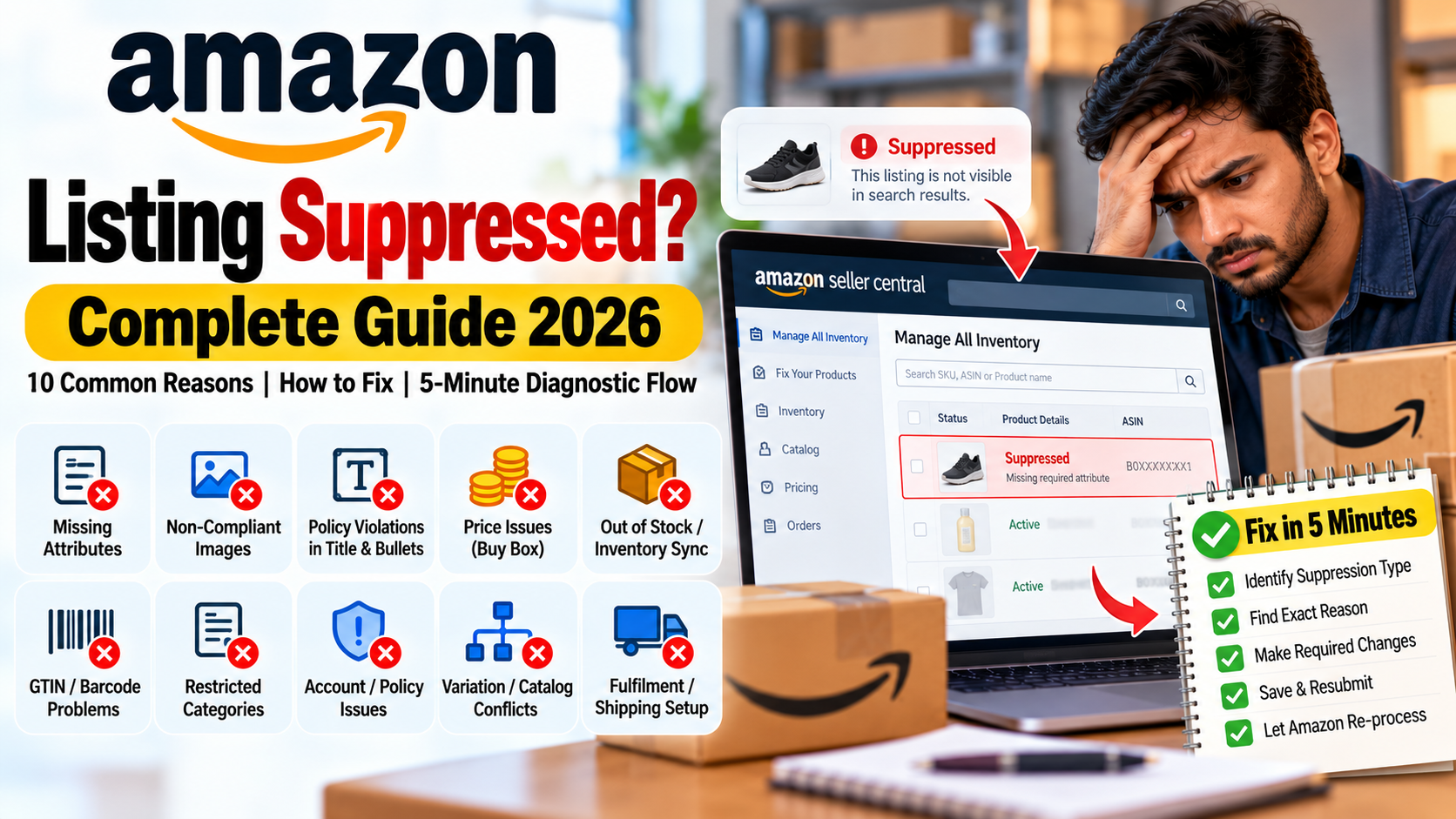
You wake up to find orders on your best-selling product have stopped. In Seller Central the status reads suppressed or inactive. The listing is technically live, but customers can't see it, and every day it stays hidden costs you sales.
The good news is that most suppressions have a small, fixable cause, such as a missing attribute, a non-compliant image or zero stock. This guide covers the 10 most common reasons, the fix for each, and a 5-minute diagnostic flow.
In short: identify the type of suppression, find the reason, fix it, and let Amazon re-process the listing.
What does "suppressed" mean? 3 common situations
Situation
What happens
Common cause
Search suppressed
The listing doesn't appear in search results, but may still open through a direct ASIN link
Missing or incorrect attributes, title, image or keyword issues
Buy Box suppressed
The listing is live, but there is no "Add to Cart" and the page shows "See all buying options"
Price, stock, seller performance or eligibility
Inactive / deactivated
The listing can't be purchased
Out of stock, incomplete information, policy or compliance issues
[EDITOR: verify the exact status names and Seller Central menu labels (Manage All Inventory, Fix Your Products) against the current interface.]
10 reasons and how to fix each
1. Required attributes are missing or wrong
Each category has mandatory fields (brand, product type, item weight, country of origin and so on). If they are empty or incorrect, the listing is treated as incomplete and can drop out of search. Fix: In Manage All Inventory or Fix Your Products, filter for suppressed listings, fill in the missing fields flagged by the error, and save.
2. The main image breaks Amazon's rules
Text, watermarks, logos, a coloured background or a very small image on the main image slot can get a listing suppressed. Fix: Use a clean white background, let the product fill most of the frame, add no text or watermark, and aim for 1000px or more on the longest side. Check Amazon's guidelines for your category, since requirements vary.
3. Title, bullets or keywords violate policy
Promotional phrases ("best seller", "100% genuine"), ALL CAPS, special characters, competitor brand names or text over the length limit are a common trigger. Fix: Keep the title and bullets factual and simple. Use only relevant, original words in backend search terms. Verify the character limits for your category.
4. A price problem (Buy Box suppression)
If your price is far above the reference price or competing offers, you can lose the Buy Box. A pricing typo can trigger an alert too. Fix: Check pricing alerts, compare with the market, and bring the price back into a sensible range. Decide your margin strategy after the Buy Box returns.
5. Zero stock or inventory not synced
Zero quantity, or an inventory sync that fails, turns the listing inactive. This is common for sellers on multiple channels. Fix: Restock or update the quantity, and check how often your inventory sync tool runs.
6. A GTIN / barcode problem
An invalid or duplicate EAN/UPC, or a private-label listing without a GTIN exemption, can block or suppress a listing. Fix: Use valid GS1 barcodes, or apply for a GTIN exemption where it is allowed. If you are Brand Registered, make sure the brand details match.
7. A restricted category or missing compliance documents
In gated or regulated categories, missing documents can suppress a listing. Examples include certifications, licences or Legal Metrology details, wherever they apply. Fix: Complete the category approval and upload the documents. Check the category guidelines in Seller Central for the certifications that apply to you.
8. An account-level or ASIN-level policy issue
An account health problem, an IP or authenticity complaint, or a policy violation can affect a single ASIN or the whole account. Fix: Read Account Health and Performance Notifications. If your account is suspended, follow our Plan of Action guide.
9. A variation, category or catalog conflict
A wrong variation relationship, the wrong browse node or product type, or a duplicate or merged ASIN conflict can suppress a listing. Fix: Check the variation theme and parent-child mapping, set the correct category, and ask Seller Support for a merge or correction if there is a duplicate ASIN.
10. Fulfilment or shipping setup is wrong
FBA stranded inventory, a missing shipping template, the wrong handling time or incorrect fulfilment settings can make a listing non-buyable. Fix: Check the stranded inventory report, correct the shipping template and handling time, and verify FBA eligibility.
