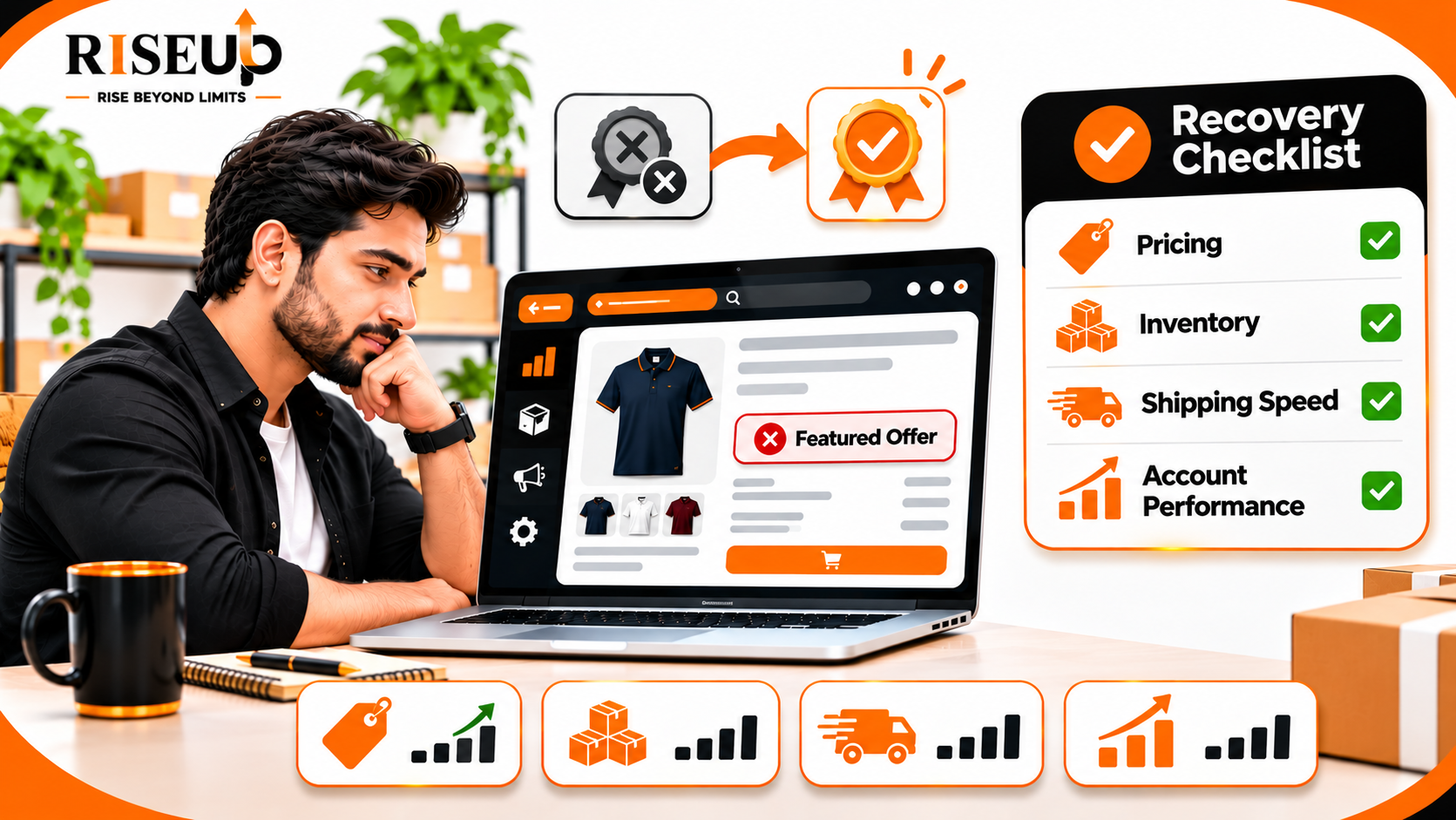
Lost the Amazon Buy Box? Reasons & How to Win It Back
If you have lost Amazon Buy Box, your product may still be active and available for purchase, but another seller's offer may now appear in the prominent purchase section of the product detail page. On Amazon, this placement is officially called the Featured Offer.
Losing the Featured Offer can affect product visibility and sales opportunities, particularly when multiple sellers compete on the same ASIN. However, the lowest price does not automatically guarantee the Buy Box, and having a healthy seller account does not guarantee that your offer will be selected.
To win it back, you need to identify why your offer is less competitive. Start by reviewing your total price, delivery promise, inventory availability, customer experience and Pricing Health status.
This guide explains the common reasons sellers lose the Amazon Buy Box and provides a practical process to improve your chances of winning the Featured Offer again.
What Is the Amazon Buy Box or Featured Offer?
The Amazon Buy Box, now officially known as the Featured Offer, is the prominent purchase section on a product detail page that displays the offer customers can use to select Add to Cart or Buy Now.
When multiple sellers offer the same product, Amazon evaluates their offers and determines which one or more should be featured.
For example, imagine three sellers offering the same product:
SellerProduct priceShippingTotal priceSeller A₹999₹50₹1,049Seller B₹1,019Free₹1,019Seller C₹979₹100₹1,079
Seller C has the lowest product price, but Seller B has the lowest total price.
This illustrates why sellers should consider the complete customer offer rather than only the product's selling price.
Amazon considers several customer-focused factors when selecting the Featured Offer, including total price, delivery promise, availability and customer experience.
Being considered for the Featured Offer does not guarantee that your offer will be selected.
Why Did You Lose the Amazon Buy Box?
There is no single reason why an Amazon seller loses the Buy Box. The selection process considers multiple factors, and the most important issue can differ between products and customer locations.
Here are the main areas to investigate.
1. Your Total Price Is No Longer Competitive
Pricing is one of the important factors in Featured Offer selection.
Amazon considers the total customer price, including the product price and shipping charges.
Your offer may become less attractive when:
- A competing seller reduces their selling price.
- Your shipping charges increase.
- A competitor offers a promotion.
- Your total price is significantly higher than recent prices.
- Your offer becomes less competitive against relevant external retail prices.
How to fix it:
- Open Seller Central.
- Navigate to Pricing Health.
- Review offers flagged as potentially uncompetitive or ineligible.
- Compare your total price with competing offers.
- Review available pricing opportunities.
- Adjust your price or shipping charges where commercially viable.
Do not reduce your price blindly. Calculate marketplace fees, shipping costs, product costs and your minimum acceptable margin before changing prices.
2. Your Competitor Offers Faster Delivery
Customers often prefer products that can reach them sooner.
If another seller offers a more reliable or faster delivery promise, their offer may become more attractive.
Delivery competitiveness can vary depending on the customer's location.
For example, your offer might be competitive for customers in Delhi but less attractive for shoppers in Bengaluru if your delivery estimate is longer.
How to fix it:
- Review your handling time.
- Check your shipping settings.
- Dispatch orders within the promised timeframe.
- Reduce avoidable fulfilment delays.
- Review available fulfilment options.
- Check whether your product can be delivered to the customer's location.
Faster delivery can improve your offer's competitiveness, but it should be achieved through reliable operations rather than unrealistic delivery promises.
3. Your Product Is Out of Stock or Has Low Inventory
Inventory availability is another important factor.
If your product is unavailable, your offer cannot be selected as the Featured Offer for that customer.
Even when a product is technically active, insufficient stock can create operational problems when demand increases.
How to fix it:
- Check available inventory in Seller Central.
- Review reserved and available quantities.
- Monitor products with high sales velocity.
- Replenish popular SKUs before stock runs out.
- Check FBA inventory availability, where applicable.
- Maintain accurate inventory across fulfilment channels.
If you sell multiple sizes or colours, review each variation separately. A product may have the Featured Offer for one variation but not another.
4. Your Order Fulfilment Performance Needs Improvement
Late dispatches, cancellations and poor order handling can affect the customer experience.
Amazon evaluates the attractiveness of offers based on the experience customers can expect.
Review operational issues such as:
- Orders dispatched after the promised handling time.
- Frequent seller-initiated cancellations.
- Incorrect tracking information.
- Damaged or incorrect products.
- Customer complaints related to fulfilment.
- Repeated delivery problems.
How to fix it:
Check your Account Health dashboard and relevant fulfilment reports.
Identify recurring operational problems and correct the underlying process instead of focusing only on the Buy Box.
5. Your Offer Cannot Be Delivered to Certain Locations
Featured Offer selection can differ based on a customer's delivery address.
For example, your offer may be available in one city but not deliverable to another location because of shipping restrictions or fulfilment limitations.
This means you should not assume that every shopper sees the same Featured Offer.
How to fix it:
- Review shipping templates.
- Check serviceable PIN codes.
- Confirm that your inventory is available for the relevant fulfilment region.
- Review any shipping exclusions.
- Verify that your handling and transit times are realistic.
6. Your Offer Has a Pricing Health Issue
Amazon's Pricing Health tool helps sellers identify offers affected by potential pricing errors and pricing competitiveness issues.
An offer may be flagged when its total price is significantly higher than relevant recent prices or when a pricing rule creates a problem.
How to fix it:
- Open Seller Central.
- Go to Pricing Health.
- Review the affected ASINs or SKUs.
- Check the reason displayed for each offer.
- Review your minimum and maximum price settings.
- Correct genuine pricing errors.
- Contact Seller Support if you believe the flag is incorrect.
Do not assume that every Featured Offer problem is an account-health issue. Check the actual offer-level status first.
7. Another Seller Is Offering a More Attractive Deal
When several sellers offer the same ASIN, Amazon compares the available offers.
A competing seller may provide a better overall customer proposition through:
- Lower total price.
- Faster delivery.
- Better shipping options.
- More reliable availability.
- Stronger customer experience.
Even if your product price is the same, another seller may have a more attractive delivery promise.
How to fix it:
Review the competing offers and identify where your offer is less competitive.
Focus on improving the overall customer proposition rather than copying every competitor's price change.